Components / display
Banner builder
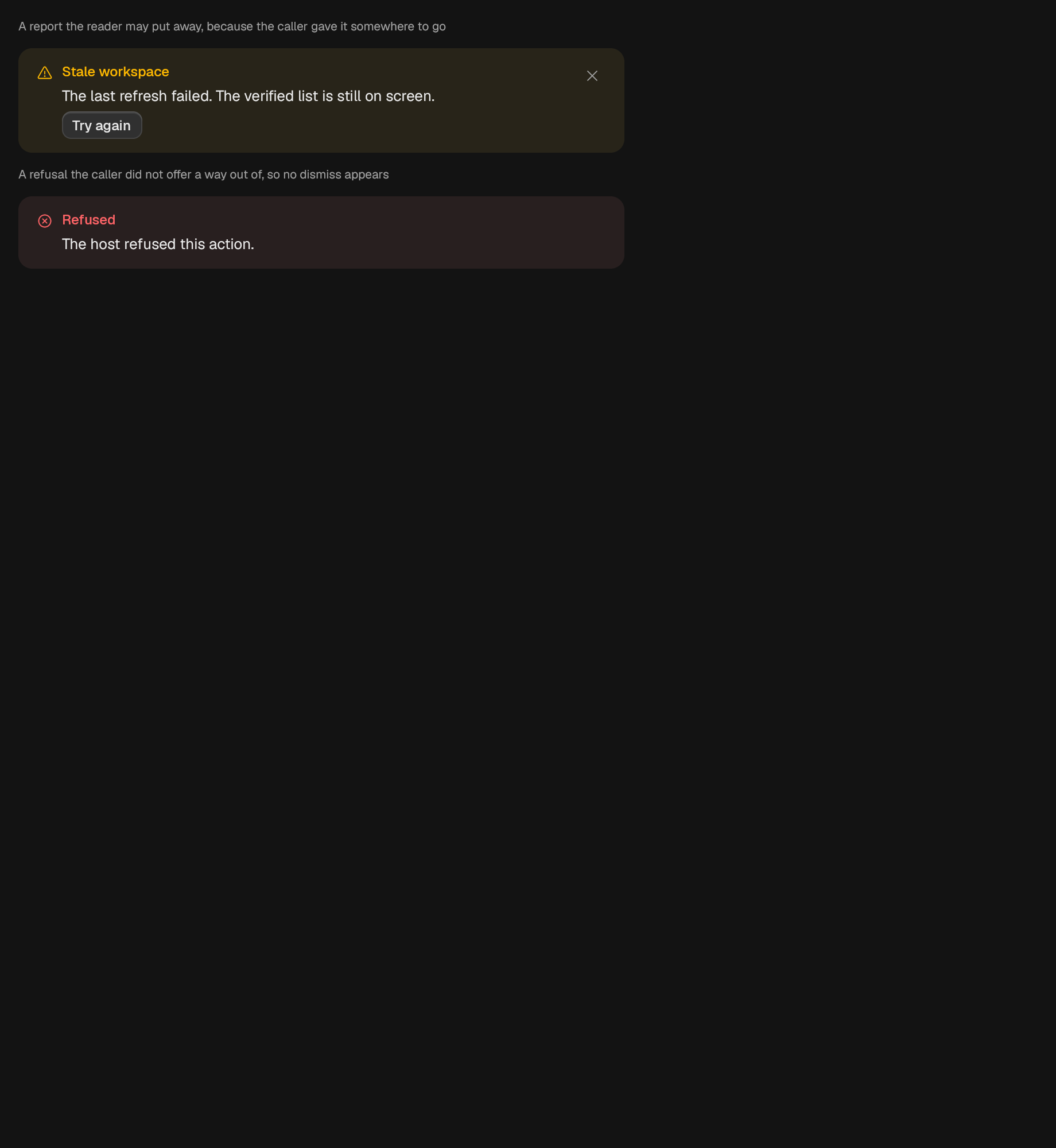
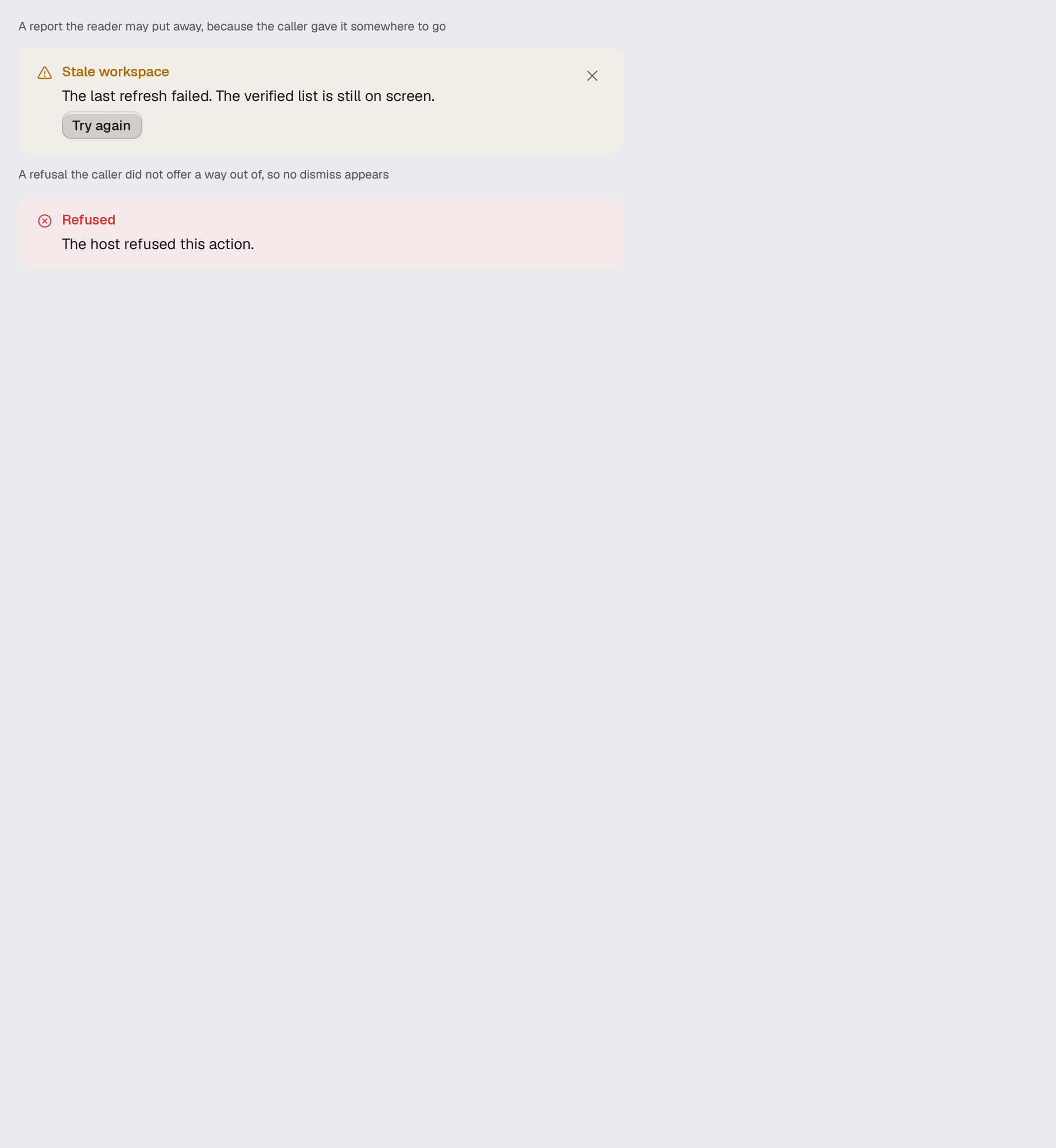
A page-level tinted report: title, action, and a way to close it.
A builder is RenderOnce. Construct and mount it in one expression.
use gpui_kit::display::status::Banner;Reviewed in banner.
Construct
new(ident: impl Into<Ident>, message: impl Into<SharedString>, tone: Tone) -> SelfOptions
Chain onto the value.
title(title: impl Into<SharedString>) -> Self
action(action: impl IntoElement) -> Self
on_dismiss(handler: impl Fn(&mut Window, &mut App) + 'static) -> Self
Example · banner
fn banner(_window: &mut Window, cx: &mut App) -> AnyElement {
    let theme = cx.theme().clone();
    stack(&theme)
        .w(px(560.0))
        .child(caption(
            &theme,
            "A report the reader may put away, because the caller gave it somewhere to go",
        ))
        .child(
            Banner::new(
                "scene.banner.warning",
                "The last refresh failed. The verified list is still on screen.",
                Tone::Warning,
            )
            .title("Stale workspace")
            .action(
                Button::new("scene.banner.retry")
                    .label("Try again")
                    .secondary()
                    .small(),
            )
            .on_dismiss(|_, _| {}),
        )
        .child(caption(
            &theme,
            "A refusal the caller did not offer a way out of, so no dismiss appears",
        ))
        .child(
            Banner::new(
                "scene.banner.danger",
                "The host refused this action.",
                Tone::Danger,
            )
            .title("Refused"),
        )
        .into_any_element()
}